Airline Lost Your Bag? How an AirTag Gets It Back
Your AirTag shows the bag. The airline says they don't know where it is. The exact script, screenshot protocol, and DOT/EU rights to get your luggage back fast.
On this page 9 sections
- What Your AirTag Can and Cannot Do in a Lost-Bag Situation
- The Screenshot Protocol: Do This Before You Reach the Desk
- When the AirTag Shows Your Bag at the Right Airport
- When the AirTag Shows Your Bag in a Different City
- The Confrontation: When the Airline Denies What Your Screen Shows
- Your Legal Rights: DOT, EU261, and the Montreal Convention
- Filing the Evidence: PIR, WorldTracer, and Your AirTag Screenshots
- What Happens After 21 Days: The Permanently Lost Bag
- The One Thing Most Guides Get Wrong
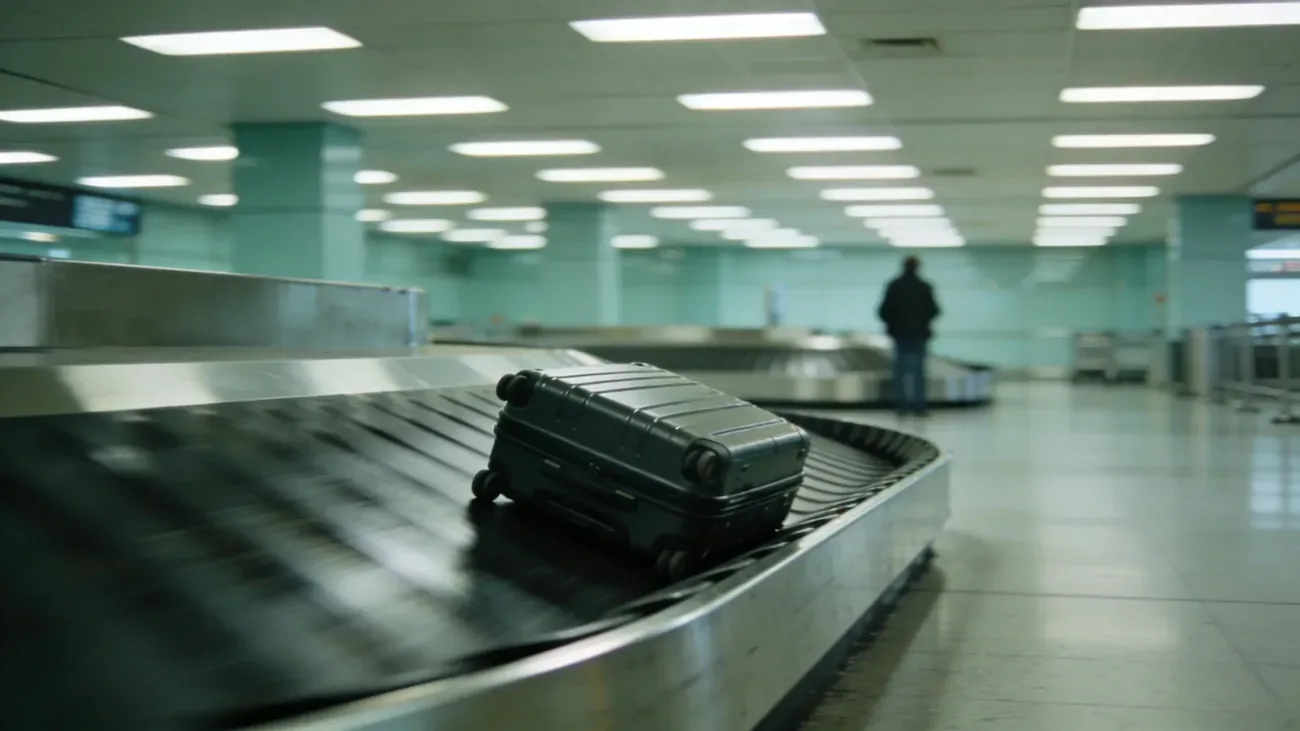
The bag carousel stops. Every other passenger pulls their bag and leaves. Yours does not appear. You open Find My, and there it is: your AirTag, pinging from Terminal C of the very airport you are standing in. The baggage agent looks up your flight, types something, and says, “I’m sorry, we have no information on your bag.”
That gap between what your phone knows and what the airline admits is the whole story of lost luggage in the AirTag era. This guide covers how to close it.
Key Takeaways
- AirTag does not use GPS. It pings the Find My network via nearby iPhones. A frozen location during a flight is normal; updates resume once the bag is in a terminal.
- The SITA Baggage IT Insights 2024 report puts the global mishandled baggage rate at 4.2 per 1,000 passengers. Most mishandled bags are misrouted, not stolen.
- Screenshot the AirTag location with timestamp visible before you reach the baggage desk. This is your primary evidence document.
- Airlines use WorldTracer to trace bags by scan events. Your AirTag location tells the agent which specific building to check, which WorldTracer alone cannot.
- File a Property Irregularity Report (PIR) before leaving the terminal. Most airlines require a PIR as a precondition for any compensation claim.
- DOT rules cap domestic US airline liability at $3,800 for lost bags (14 CFR 254). The Montreal Convention caps international routes at roughly 1,288 SDR (about $1,700 USD). Travel insurance covers the gap.
- EU Regulation 261/2004 requires airlines to acknowledge liability and respond to baggage claims within 21 days on qualifying routes.
What Your AirTag Can and Cannot Do in a Lost-Bag Situation
AirTag has no GPS. This point matters enormously for managing expectations. The device pings the Find My network when an iPhone with Find My enabled passes within Bluetooth range, roughly 100 to 300 feet. That ping registers the location of the nearby iPhone, not a satellite fix on your bag.
The practical implications are two things. First, location updates stop during the flight: no iPhones pass through the cargo hold at 35,000 feet, so Find My shows the last airport where a ping occurred. This is normal. Second, update frequency in a terminal or baggage handling area depends entirely on iPhone traffic. A busy US domestic hub might update your bag every few minutes. A smaller regional airport might take 30 to 45 minutes between pings.
What AirTag does reliably:
| Situation | What AirTag tells you |
|---|---|
| Bag is in the terminal | Approximate location, updated within the last 15 to 30 minutes |
| Bag was misrouted to another city | Name of the city or airport where it last pinged |
| Bag is in an airline office or storeroom | Often resolves to the office building or terminal section |
| Bag is in a baggage cart in the parking structure | Sometimes resolves to a general lot or roadway address |
| Bag is inside an aircraft hold | Location frozen at last ground ping, typically the departure airport |
What AirTag cannot tell you: who has the bag, whether it has been opened, or its precise location within a large building. It narrows the problem from “somewhere in the world” to “a specific city and terminal,” which is enough to change every airline conversation.
See the full AirTag checked luggage rules guide for how the Find My network operates and which routes have the best coverage.
The Screenshot Protocol: Do This Before You Reach the Desk
The single most important action when a bag does not appear is to document your AirTag location before you join the queue at the baggage desk. Airline agents have seen travelers claim tracker evidence that disappeared or changed. A timestamped screenshot taken at the moment of arrival eliminates that ambiguity.
Exactly what to capture:
- Open Find My on your iPhone.
- Tap Items and select your bag’s AirTag.
- Wait for the location to update (the map should show a recent timestamp, not “last seen an hour ago”).
- Take a full screenshot so the screen shows: the map with the pin, the address or airport name, and the time.
- If Find My shows “Last Seen” with a time rather than “Now,” that is still useful. Screenshot it anyway.
- AirDrop or email the screenshot to yourself immediately. Cloud-backed copies survive a dead phone battery.
A useful script at the desk: “My bag hasn’t arrived. I have a Bluetooth tracker inside it. Here is a screenshot from two minutes ago showing it at [Terminal X / Gate area Y / Airport Z]. Can you confirm whether your WorldTracer shows any scan events at that location?”
Most agents will respond to that specific question more effectively than to a general “my bag is lost” complaint, because you are giving them a place to look, not just a problem to acknowledge.
When the AirTag Shows Your Bag at the Right Airport
This is the most common scenario, and the most recoverable. SITA’s 2024 data shows that roughly 80% of mishandled bags are delayed rather than permanently lost, and a significant portion simply end up in an airport storeroom, an adjacent carousel, or a late-arrival hold area.
If Find My places your bag somewhere in the same terminal complex:
- Ask the agent to check the storeroom physically. Bag scan events in WorldTracer can lag. The physical bag may already be in the storeroom waiting for someone to match it to a passenger.
- Ask for the specific terminal or gate area the AirTag shows and whether a baggage team is active there. Large airports have multiple sub-sections, and an agent at the main desk may not have visibility into all of them.
- Request delivery to your hotel or final destination address. If the bag is confirmed in the airport but the next carousel slot is several hours away, most airlines will deliver it to your accommodation rather than require you to wait.
One pattern that recurs in travel community reports: the bag is in the lost-and-found section at the arrival terminal, it has a garbled or unreadable tag from baggage handling, and it is sitting there unmatched in WorldTracer. An AirTag that places the bag at “Terminal B, north end” gives the agent a precise search area that WorldTracer cannot provide on its own.
When the AirTag Shows Your Bag in a Different City
A different-city ping is actually the better kind of lost bag. The bag exists, it has a known location, and it is in a structured baggage system rather than genuinely missing. The airline almost certainly knows where it is even if the agent at your destination has not yet connected the data.
Steps for a misrouted bag:
- Note the city and airport code your AirTag shows.
- Tell the agent: “My tracker shows the bag at [Airport Code]. Can you pull up WorldTracer for that station and check for a bag matching my description?”
- Request a ‘rush tag’ (or equivalent airline terminology for expedited forwarding). Airlines can put a misrouted bag on the next available flight, often arriving within two to six hours on busy routes.
- File the PIR regardless, because you need the reference number for any expense claim (for essential items you have to buy during the delay).
- Keep checking Find My. When the bag leaves the other airport and arrives at yours, the location will update once it is in the terminal again.
Under DOT regulations, US carriers must reimburse “reasonable” expenses for essential items when a bag is delayed on a domestic flight. International routes follow the Montreal Convention Article 19, which covers damage caused by delay. Save every receipt for toiletries, clothing, and medication purchased because your bag is missing.
The Confrontation: When the Airline Denies What Your Screen Shows
This is where most travelers get frustrated: the AirTag says Terminal C, the agent says “we have no record of your bag.” The gap is real and explainable. WorldTracer tracks bags by scan events: a handler scans the bag at each transfer point. If the bag was placed in a storeroom without being scanned, or was moved by hand between areas, WorldTracer shows nothing while your AirTag updates normally.
How to escalate effectively:
At the desk:
- “I understand WorldTracer may not show a scan. My tracker shows the bag at [specific location] as of [time]. I’d like you to request a physical check of that area. Can you contact your ramp or baggage team to do that?”
- If the agent cannot or will not act on that: “Can I speak with the duty manager for baggage?”
The duty manager conversation:
- Present the screenshot, the PIR number, and the specific location.
- Ask them to initiate a manual bag search at the location your tracker shows.
- Request a written response (email or letter on airline letterhead) within four hours.
Document every name, time, and commitment. If an agent says they will call back, note who said it and when. Airlines are more responsive to written records than verbal promises.
If the bag remains unlocated after 24 hours despite your AirTag showing a consistent location, escalate beyond the airport baggage desk:
- Call the airline’s corporate customer relations line (separate from the 1-800 booking number). Have your PIR number, the AirTag screenshots, and a timeline of your attempts.
- Send a written complaint by email to the airline’s customer relations address with “Missing bag [PIR] - Location evidence attached” as the subject line.
Your Legal Rights: DOT, EU261, and the Montreal Convention
Bluetooth tracker comparison covers hardware differences. The regulatory framework below covers what the airline owes you regardless of hardware.
US domestic flights:
US Department of Transportation rules under 14 CFR Part 254 require airlines to acknowledge liability for lost bags up to $3,800 per passenger on domestic flights (updated periodically for inflation). Airlines cannot write contract terms that reduce this liability. The compensation is for the bag’s contents, not replacement cost, so receipts and a written inventory strengthen your claim. File a claim with the airline, and if they deny or lowball it, file with the DOT at airconsumer.dot.gov.
International flights:
The Montreal Convention (1999), in force across 137 countries including the US, EU, Canada, Australia, and the UK, caps airline liability for checked bags at 1,288 Special Drawing Rights per passenger, roughly $1,700 USD at current rates. The SDR is recalculated periodically by the IMF. Airlines cannot contract out of this liability on qualifying international routes. File your claim within two years of the flight.
EU routes (EU Regulation 261/2004 + EC 889/2002):
On flights departing any EU airport (any carrier), or arriving at any EU airport on an EU carrier, airlines must acknowledge liability for lost baggage and respond to claims in writing within 21 days. The compensation framework runs parallel to Montreal Convention SDR caps but requires the airline to provide written information about your rights at the time of the incident. If the airline fails to provide this information, that failure itself is grounds for a complaint to the national aviation authority.
Travel insurance is the practical answer to the Montreal Convention gap. Most travel insurance policies with baggage coverage pay $1,500 to $3,000 per item based on purchase receipts and replacement cost, not the SDR cap. Premium travel credit cards from American Express, Chase, and Citi often include baggage delay and loss coverage as a card benefit. Confirm the exact terms before travel, because “delay” coverage (typically triggered after six hours) and “loss” coverage have different claim processes.
Filing the Evidence: PIR, WorldTracer, and Your AirTag Screenshots
The Property Irregularity Report (PIR) is the document you must file before leaving the terminal. Everything else, compensation claims, DOT complaints, insurance claims, depends on having this reference number. If an agent tells you to call later or come back tomorrow before filing the PIR, do not leave without filing it.
What to provide when filing the PIR:
- Flight number and date
- Bag description (color, brand, approximate size, any distinguishing marks)
- Your contact information and the address where the bag should be delivered
- Your AirTag’s last known location and the screenshot timestamp
Ask the agent to note the AirTag location in the WorldTracer file. Not all agents know how to do this, but many will note it in the free-text comment field, which baggage tracing teams at other airports can see.
After filing:
- Email the PIR number and all AirTag screenshots to yourself within the hour.
- Keep a running log (notes app, email thread) of every call, the agent’s name, and what they committed to.
- Check Find My every 30 minutes while you are at the airport. If the location changes, screenshot each update.
For the full guide on airline rules and what trackers can and cannot do during flights, the sister article covers FAA regulations, coverage dead zones by region, and how Tile and Samsung SmartTag2 compare for international routes.
What Happens After 21 Days: The Permanently Lost Bag
Most US airlines declare a bag permanently lost after 21 days of unsuccessful tracing. At that point, the liability clock moves to compensation rather than recovery.
Submit your claim with:
- The PIR number and all WorldTracer updates you received
- Your AirTag location history (Find My does not retain a full location log, but your screenshots serve as the record)
- A written inventory of the bag’s contents with estimated values
- Receipts for anything you can document
- Evidence of the bag’s value (purchase receipts for the luggage itself)
The airline will typically offer a settlement below the liability cap. You can negotiate, particularly if your receipts and documentation are organized. If the airline’s offer is unreasonable, the DOT complaint process and small claims court (for amounts within state limits) are both viable paths. Many travelers have recovered the full liability cap through small claims without legal representation, using their PIR, correspondence logs, and AirTag screenshots as evidence.
The One Thing Most Guides Get Wrong
Most lost-luggage guides treat the AirTag as a passive record keeper, something you check after the fact. The travelers who recover bags fastest treat it differently: they use the tracker location in real time as leverage in the conversation, not as evidence they present after the airline has already denied the claim.
The difference is timing. Screenshot before you reach the desk. Show the agent immediately. Ask them to act on the specific location right now. A bag in an airport storeroom that gets a physical check within the first hour is almost always recovered that day. The same bag, left unlocated for 48 hours while paperwork moves through WorldTracer, often takes a week.
Your phone knows where the bag is. That is the advantage. Use it at the desk, not in the claims letter you write three weeks later.
Questions & answers
Things readers ask about this
7 questions · updated Jun 2026